How do I sort my contacts into groups?
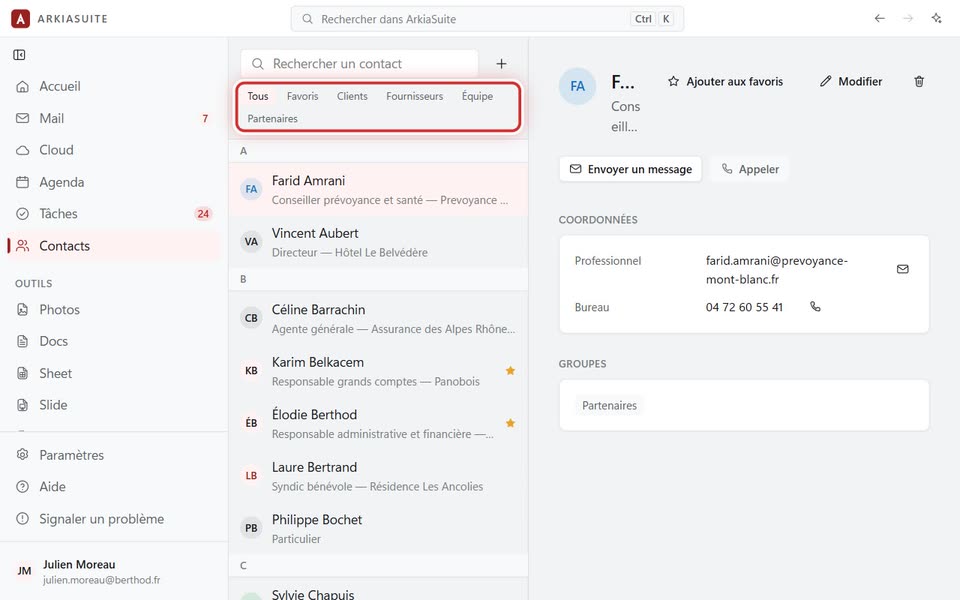
Groups (Clients, Fournisseurs (Suppliers), Équipe (Team), Partenaires (Partners)) sort your address book: one click, and only your clients are shown.
Step by step
In Contacts, click the contact, then Modifier (Edit) (the pencil at the top right of their details).
In Groupes (Groups), click one or more groups: they light up in color when chosen.
Click Enregistrer (Save).
Above the list, the Tous (All), Favoris (Favorites), Clients, Fournisseurs (Suppliers)… buttons show only that group.