Where is my password stored?
ArkiaSuite never writes your password in a file: it hands it over to the secure storage built into your computer or phone.
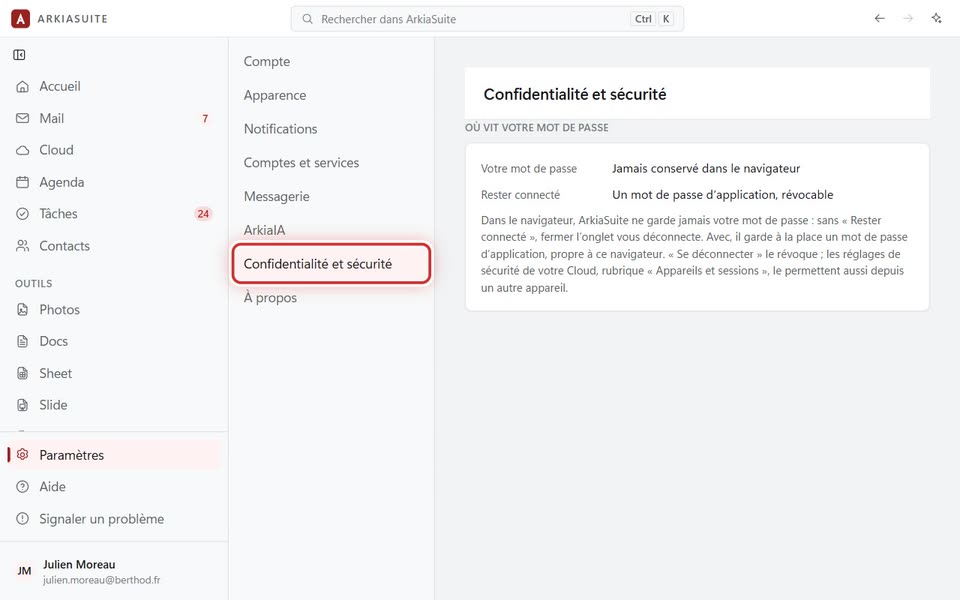
Step by step
Click Paramètres (Settings), then Confidentialité et sécurité (Privacy and security).
The « Où vit votre mot de passe » (Where your password lives) part tells you where it is stored on this device (Magasin (Store)) and how it is protected.
Good to know
- On Windows, it’s the Windows Credential Manager; on a Mac, the Keychain.
- In a web browser, the password isn’t kept: with « Rester connecté » (Stay signed in), it’s an app password, which can be revoked.