Where can I see which version of ArkiaSuite I have?
The version number tells you whether you have the latest update. We may ask you for it over the phone.
Step by step
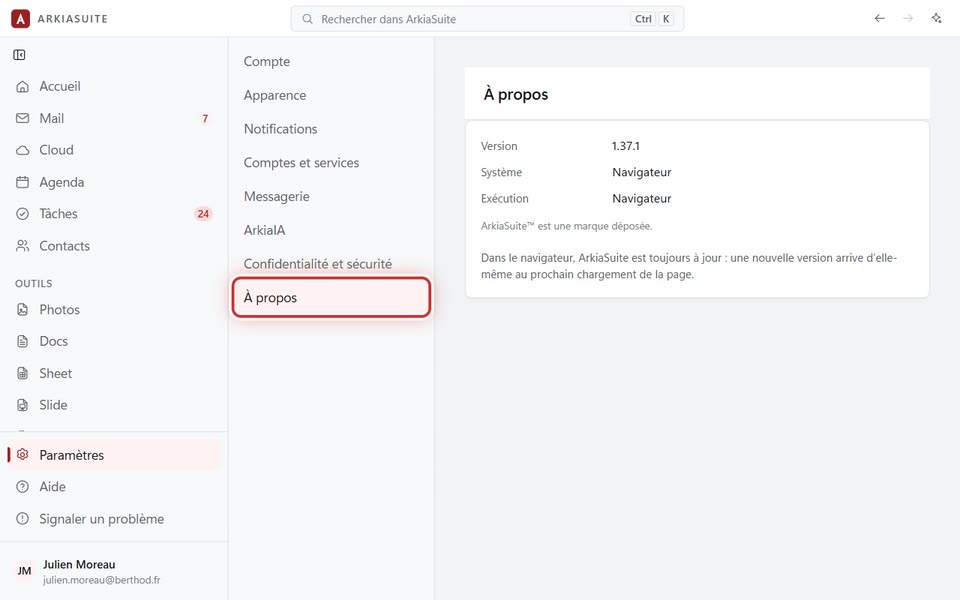
Click Paramètres (Settings) at the bottom of the left-hand column.
Click À propos (About), at the very bottom of the list of sections.
Version gives the number (for example 1.37.1). Système (System) says which computer or phone you are on, and Exécution (Runs in) whether it’s the installed app or the web browser.