Where are the tools on my phone?
On a phone, there is no left-hand column: the tools are at the bottom of the screen, within reach of your thumb.
Step by step
At the bottom of the screen are the everyday tools: Mail, Cloud, Photos and Agenda (Calendar).
On the far right, Plus (More) opens « Tout ArkiaSuite » (All of ArkiaSuite): Accueil (Home), Tâches (Tasks), Contacts, Docs, Sheet, Slide, PDF and Réglages (Settings).
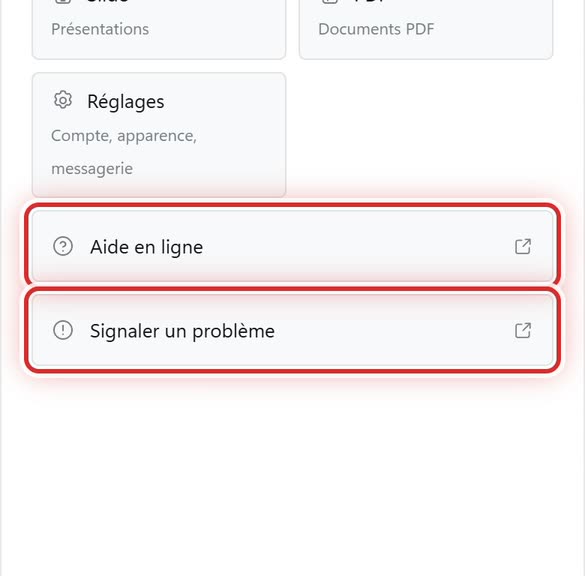
At the very bottom of Plus (More): Aide en ligne (Online help) (this help) and Signaler un problème (Report a problem).
When you type, the keyboard hides the bottom bar: it comes back when the keyboard closes.
Good to know
- On a phone, the settings are called Réglages (Settings); on a computer, Paramètres (Settings). They are the same thing.