How do I use ArkiaSuite in a web browser?
Without installing anything, ArkiaSuite opens in a web browser (Chrome, Edge, Firefox, Safari), on any computer.
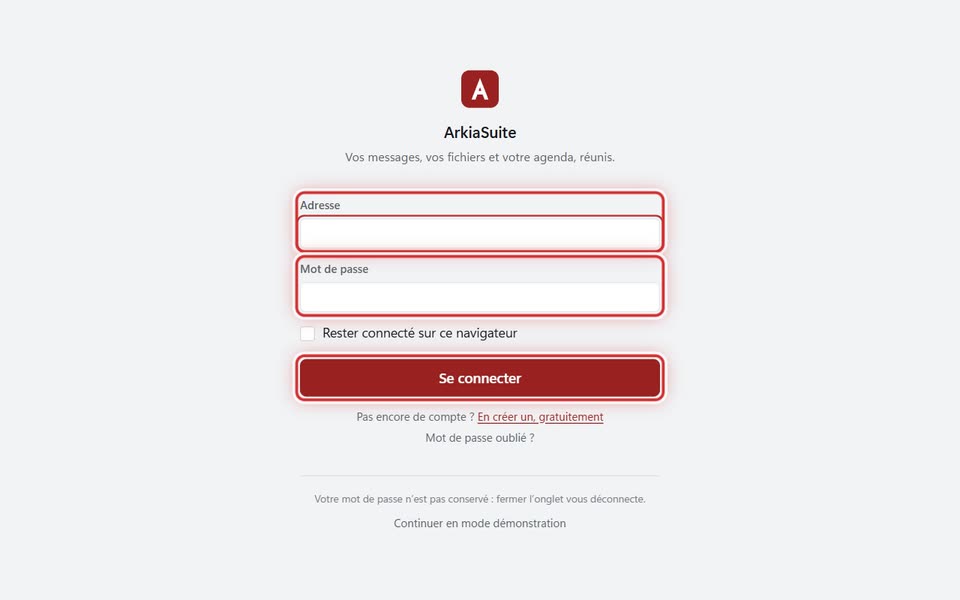
Step by step
Open app.arkiasuite.fr.
Type your address in Adresse (Address) and your password in Mot de passe (Password).
On your own computer only, check Rester connecté sur ce navigateur (Stay signed in on this browser).
Click Se connecter (Sign in): your e-mails, your files and your calendar are all there.
Good to know
- A few things need the installed app: adding other mailboxes, keeping folders or e-mails on the PC, syncing a folder, opening an attachment in one click.
- In a web browser, downloaded files go to the browser’s “Downloads” folder.