How do I sign in to ArkiaSuite?
All you need is the address and password of your ArkiaSuite account. After that, ArkiaSuite can remember them so it doesn’t ask you again.
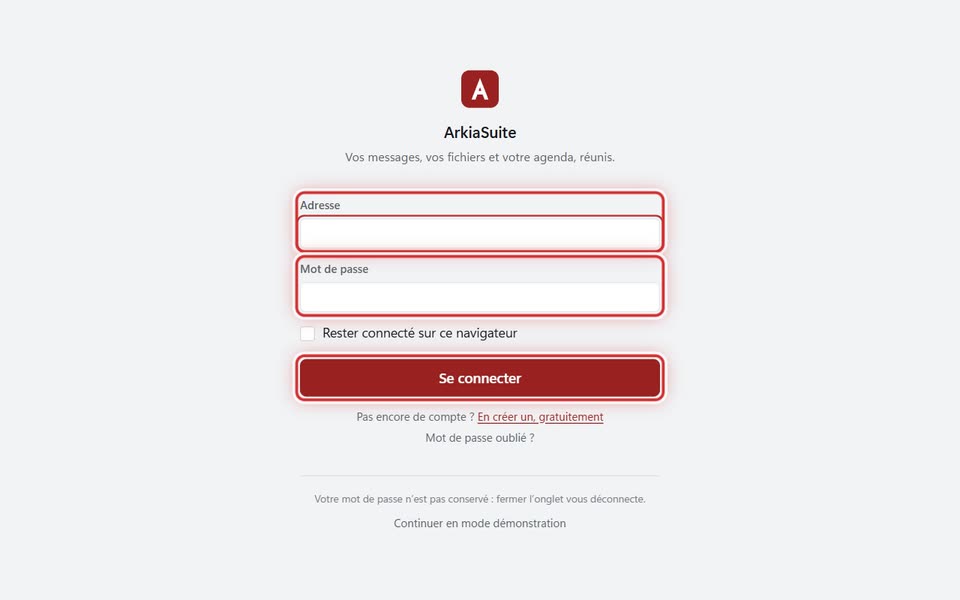
Step by step
Open ArkiaSuite. The sign-in screen appears.
In Adresse (Address), type your account address, the one you chose when you signed up.
In Mot de passe (Password), type your password.
If the computer is yours, check Rester connecté sur cet appareil (Stay signed in on this device): ArkiaSuite won’t ask you for anything again. (In a web browser, the box is called Rester connecté sur ce navigateur (Stay signed in on this browser).)
Click Se connecter (Sign in). You arrive on the Home screen.
Good to know
- Your password is not written in a file: ArkiaSuite keeps it in the computer’s secure vault (Windows Credential Manager, or the Keychain on a Mac).
- On a shared computer, uncheck Rester connecté… (Stay signed in…) and remember to sign out when you leave.
- Forgot your password? See this page.
- The Modifier le serveur (Change server) link is only for companies that have their own server: you don’t need it.