Skip to content
Français
Back to the app

Is ArkiaSuite installed on this computer? It is still open: click its red “A” icon in the taskbar at the bottom of the screen, or simply close this tab.

On a phone? The app is still open: go back to it from your list of open apps, or tap its “A” icon.

Using ArkiaSuite in your browser? Back to ArkiaSuite

I forgot my password: what should I do?

Don’t panic: we email you a link to choose a new one.
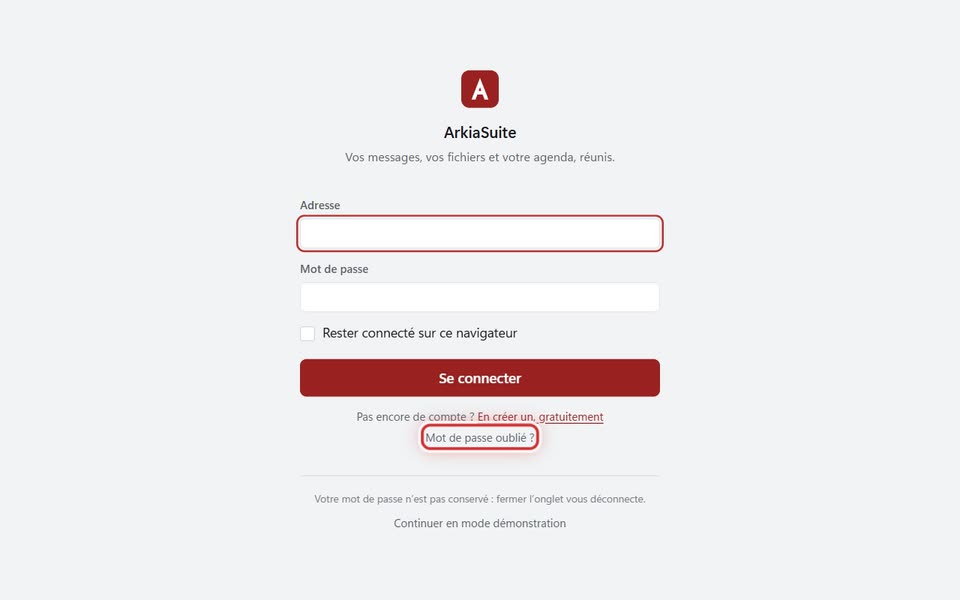
The “Mot de passe oublié ?” link, under “Se connecter”
The Mot de passe oublié ? (Forgot password?) link, under Se connecter (Sign in) — screenshot of the demo, with made-up people.

Step by step

  1. On the ArkiaSuite sign-in screen, click Mot de passe oublié ? (Forgot password?). (Or open arkiasuite.fr/compte/mot-de-passe-oublie.html.)

  2. Type your account address, then click Recevoir le lien (Get the link).

  3. Open the message you received and click the link.

  4. Choose your new password, then sign in to ArkiaSuite again.

Good to know

  • The message doesn’t arrive? Look in your spam folder, wait a few minutes, or call us at 09 51 56 59 54.

See also