Skip to content
Français
Back to the app

Is ArkiaSuite installed on this computer? It is still open: click its red “A” icon in the taskbar at the bottom of the screen, or simply close this tab.

On a phone? The app is still open: go back to it from your list of open apps, or tap its “A” icon.

Using ArkiaSuite in your browser? Back to ArkiaSuite

Why hasn’t the message I’m expecting arrived?

A message can take a few minutes to arrive, or it may have been put in the junk folder.
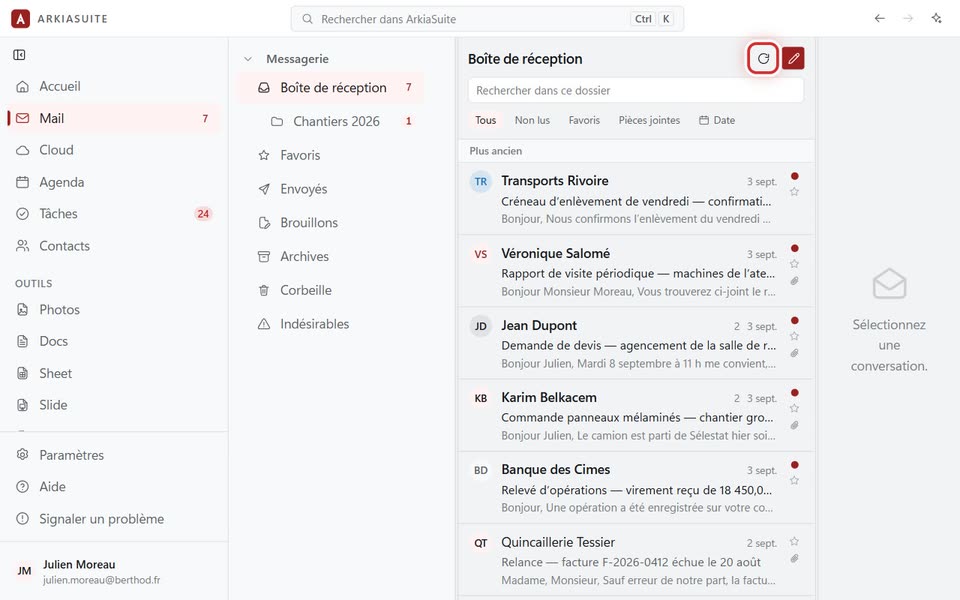
“Actualiser”, the circular arrow above the list
Actualiser (Refresh), the circular arrow above the list — screenshot of the demo, with made-up people.

Step by step

  1. In Mail, click Actualiser (Refresh) (the circular arrow above the list).

  2. Look in the Indésirables (Junk) folder: if it’s there, put it back in your inbox.

  3. Check that you are looking at the right mailbox, if you have several.

  4. Ask the sender to check your address, letter by letter.

See also