How do I select several photos at once?
To organize or delete several photos at once, select them first.
Step by step
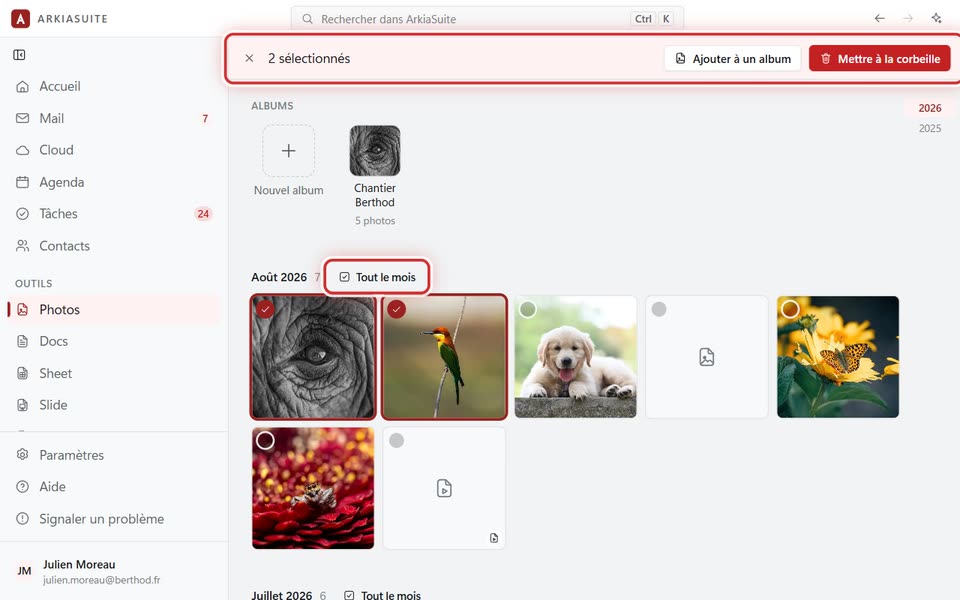
In Photos, right-click a first photo, then choose Sélectionner (Select). (Or hold down Ctrl and click it.)
Then click each of the other photos: a check mark appears.
For a series: click the first one, then hold down Shift and click the last one. Tout le mois (Whole month), next to the month’s title, selects the whole month.
At the top, choose what to do: Ajouter à un album (Add to an album) or Mettre à la corbeille (Move to trash).
The cross (Quitter la sélection (Exit selection)) unselects everything.
Good to know
- On a phone: a long press on a photo starts the selection.