How do I delete a photo, and get it back?
A deleted photo first goes to the Cloud’s trash: you can get it back as long as it’s still there.
Step by step
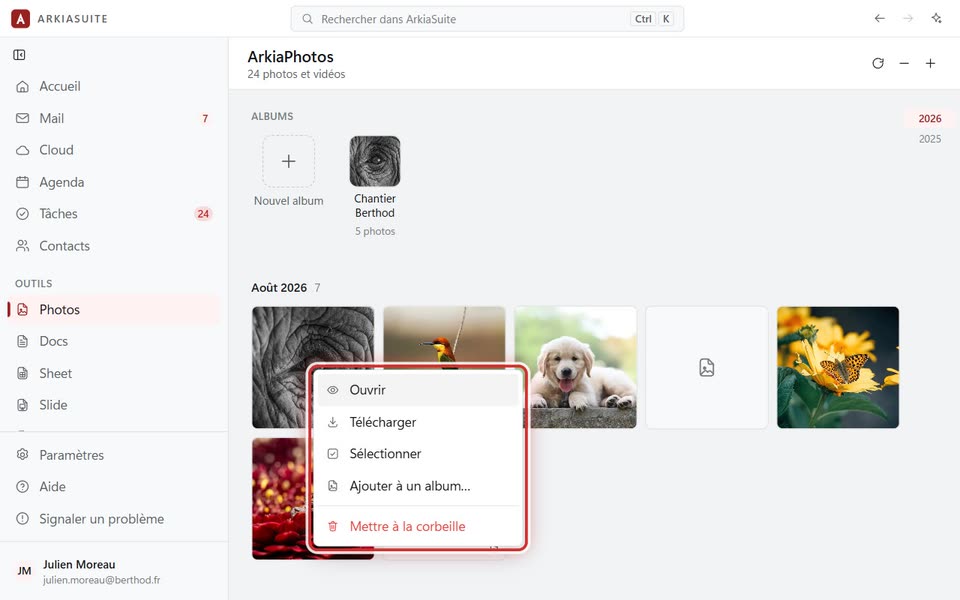
In Photos, right-click the photo.
Click Mettre à la corbeille (Move to trash) (in red), then confirm.
With the photo open full size, the Mettre à la corbeille (Move to trash) button at the bottom does the same thing.
To get it back: open Cloud, then Corbeille (Trash) in its left-hand column. Right-click the photo, then click Restaurer (Restore).