Windows blocks the ArkiaSuite installation: what should I do?
The first time you run it, Windows or your browser may warn you, or block the installation. ArkiaSuite comes from GS Informatique, and every update is signed; Windows only warns you because the installer doesn’t have a paid signing certificate recognized by Microsoft. Depending on your computer, one or more of the three cases below may happen.
The three cases
Only download ArkiaSuite from arkiasuite.fr, with the Windows button: the file is called ArkiaSuite-Windows.exe.
The browser hesitates to keep the file: keep it in Edge or Chrome.
A blue “Windows protected your PC” screen appears: run the installation anyway.
Windows blocks it without offering anything: Smart App Control.
Good to know
- ArkiaSuite checks GS Informatique’s signature on every update before installing it: after that, updates happen on their own.
- A file received by email, or taken from another site, doesn’t come from us: don’t open it.
- On a company computer, these settings may be locked (“This setting is managed by your administrator”): ask the person who looks after your computers.
Step by step, case by case
- The browser hesitates to keep the file
- “Windows protected your PC”
- Windows blocks it without offering “Run anyway”
“Windows protected your PC”
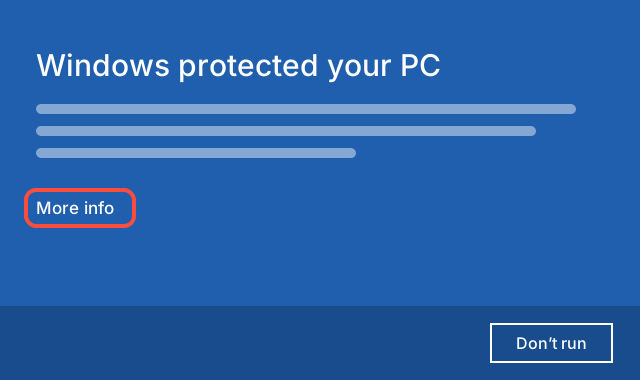
When you open ArkiaSuite-Windows.exe, a blue screen may appear: “Windows protected your PC”. The only visible button, Don’t run, stops everything: don’t click it.
Click the More info link, under the text.
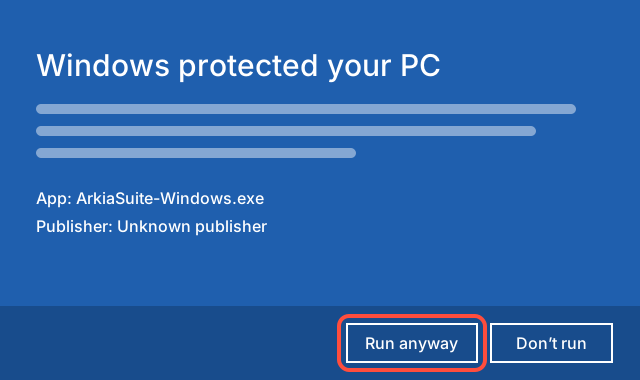
The name of the app appears: ArkiaSuite-Windows.exe. The publisher is shown as unknown: that’s expected, the installer doesn’t have a signing certificate recognized by Microsoft.
Click Run anyway. The ArkiaSuite installation starts: follow its steps.
Windows blocks it without offering “Run anyway”
On some Windows 11 computers, especially new installations, Smart App Control blocks any program that doesn’t have a signature recognized by Microsoft. It offers no button to get past it, and Microsoft provides no exception for a single app: as long as it’s on, it blocks the installer, then ArkiaSuite itself.
Check whether it’s the cause
Open the Start menu, type Windows Security, then open it.
Click App & browser control, then Smart App Control settings.
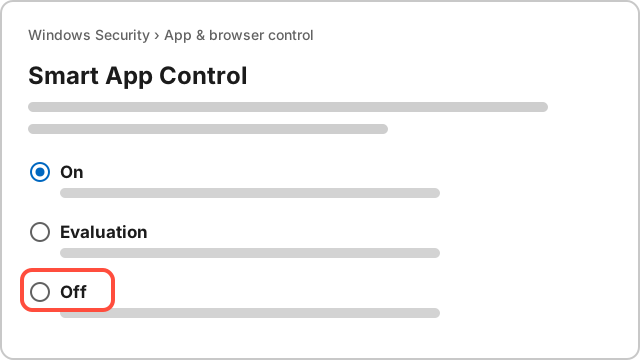
If On is selected, it’s the one blocking. On Evaluation or Off, it blocks nothing: the block comes from somewhere else, call us.
Before you choose
It’s a Windows protection. Windows warns that once it’s turned off, it can’t be turned back on without reinstalling Windows. Microsoft says recent updates make it possible to turn it back on, but not on every computer: treat this choice as final. The Windows antivirus and the SmartScreen filter stay on.
Would you rather keep it? Use ArkiaSuite in your browser, at app.arkiasuite.fr: the same account, the same emails and the same files, with nothing to install.
Turn it off to install ArkiaSuite
In Smart App Control settings, choose Off. If Windows asks you to confirm, confirm.
Open ArkiaSuite-Windows.exe again, in your “Downloads” folder. If the blue “Windows protected your PC” screen appears, do as above.
If in doubt, call us on +33 9 51 56 59 54 or come to the shop: we’ll do it with you.
See also
Source: Microsoft — Smart App Control frequently asked questions ; Microsoft — Resolve download failures in Microsoft Edge ; Google — Google Chrome blocks some downloads. Read on November 18, 2026. If the menus have changed, the provider’s own help is right.