How do I show a calendar to someone who doesn’t have ArkiaSuite?
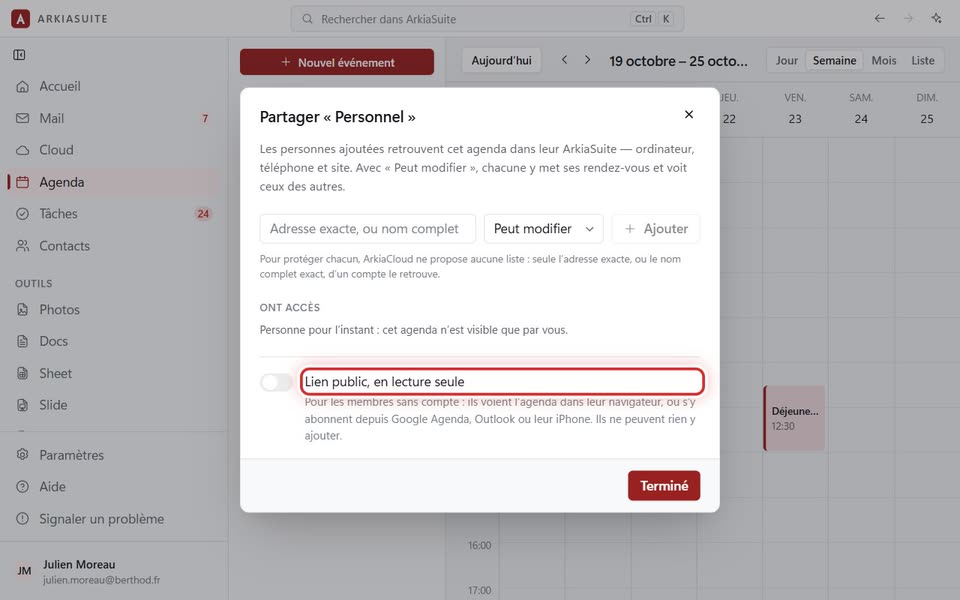
A public link lets people view a calendar in a web browser, or add it to Google Calendar, Outlook or an iPhone. They can look at it, but never write in it.
Step by step
In Agenda (Calendar), click the three dots … to the right of the calendar’s name, then Partager… (Share…).
At the bottom of the window, turn on the Lien public, en lecture seule (Public link, read-only) switch.
Two addresses appear. « Page à ouvrir » (Page to open): to view the calendar in a web browser. « Adresse d’abonnement » (Subscription address): to add it to Google Calendar, Outlook or an iPhone.
Click Copier (Copy) next to the address you want, then paste it into a message (Ctrl + V).
Click Terminé (Done).