How do I get a reminder before an appointment?
A reminder shows a notification (a small message in the corner of the screen) a little before the appointment.
Step by step
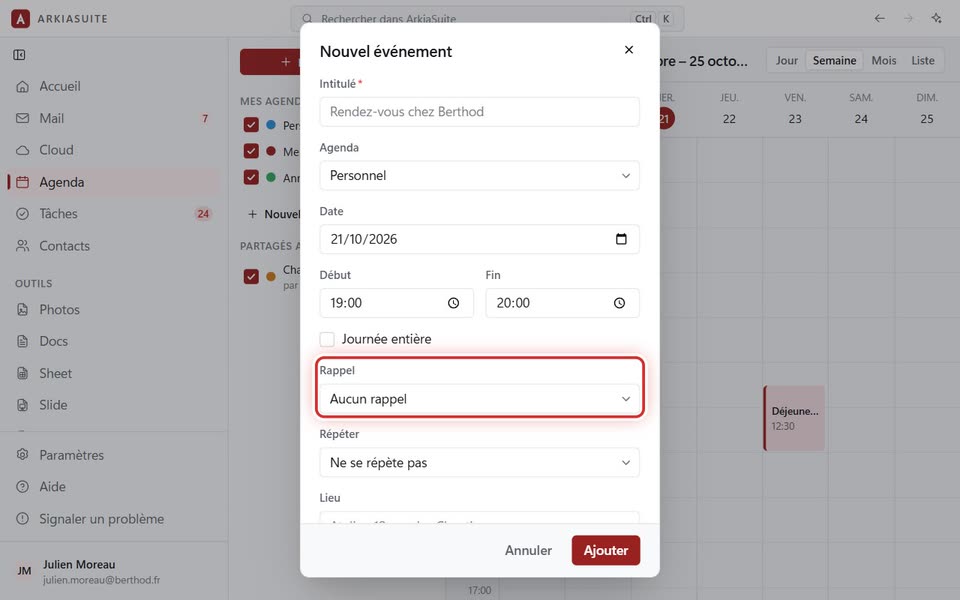
In the Nouvel événement (New event) window (or Modifier (Edit) on an existing appointment), open the Rappel (Reminder) field.
Choose when to be reminded: À l’heure du rendez-vous (At time of event), 5 minutes avant (5 minutes before), 15 minutes avant (15 minutes before), 1 heure avant (1 hour before), 1 jour avant (1 day before), 1 semaine avant (1 week before)… For an all-day event: La veille à 9 h (The day before at 9 AM), for example.
Click Ajouter (Add) (or Enregistrer (Save)).
At the chosen time, the notification appears on your computer and on your phone, wherever ArkiaSuite is installed.