How do I delete a calendar?
Deleting a calendar erases all its appointments. To simply stop seeing it, uncheck it instead.
Step by step
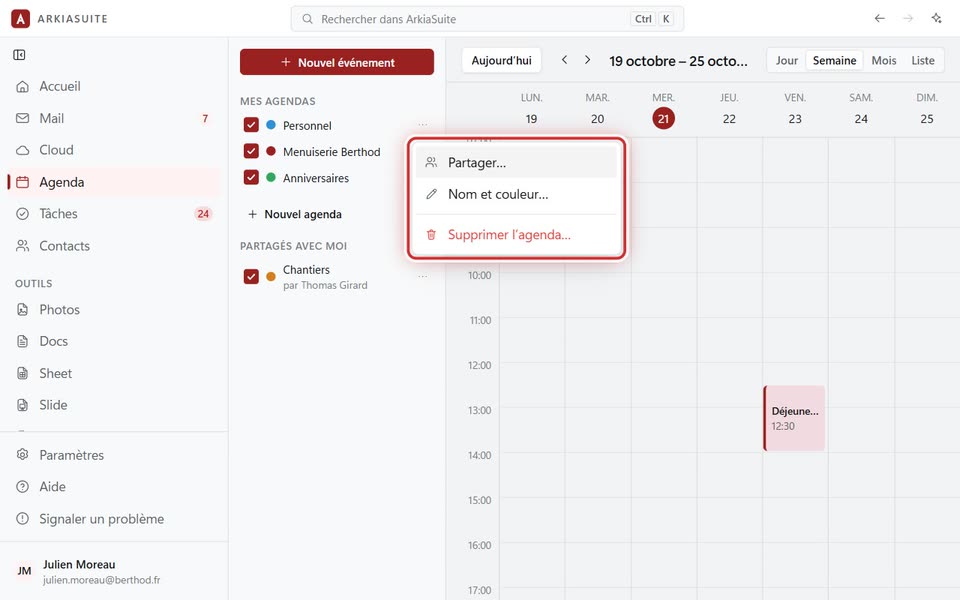
In Agenda (Calendar), click the three dots … to the right of the calendar’s name.
Click Supprimer l’agenda… (Delete calendar…) (in red).
ArkiaSuite asks you to confirm: read carefully, then confirm.
Good to know
- For a calendar someone shared with you, the menu offers Ne plus recevoir cet agenda (Stop receiving this calendar): it disappears from your side, but not from its owner’s.
- To hide it without erasing anything: uncheck the box in front of its name.