How do I put a whole folder in the Cloud?
A whole folder, with all its subfolders and files, goes up in one go.
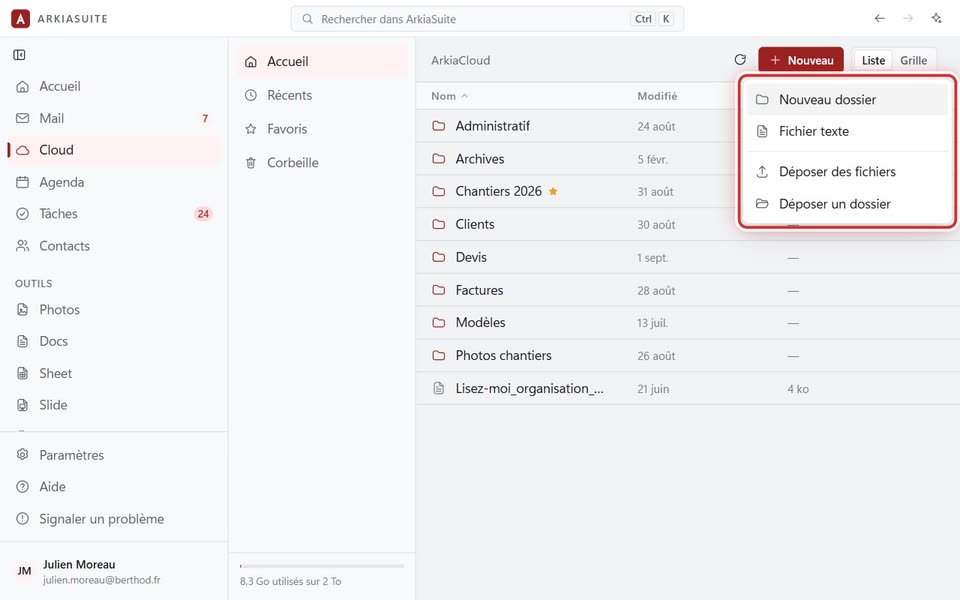
Step by step
In Cloud, open the folder where you want to put it.
Click Nouveau (New), then Déposer des dossiers (Upload folders).
Choose the folder on your computer, then confirm. By holding down the Ctrl key, you can choose several.
The folder is recreated in the Cloud, with its subfolders, and each file is uploaded into it.
Good to know
- In a web browser, the menu says Déposer un dossier (Upload a folder): only one folder at a time.
- To keep a folder from your computer up to date in the Cloud automatically, use sync instead.