Skip to content
Français
Back to the app

Is ArkiaSuite installed on this computer? It is still open: click its red “A” icon in the taskbar at the bottom of the screen, or simply close this tab.

On a phone? The app is still open: go back to it from your list of open apps, or tap its “A” icon.

Using ArkiaSuite in your browser? Back to ArkiaSuite

How much space do I have left in the Cloud?

The space used and the total space are always shown at the bottom of the Cloud’s left column.
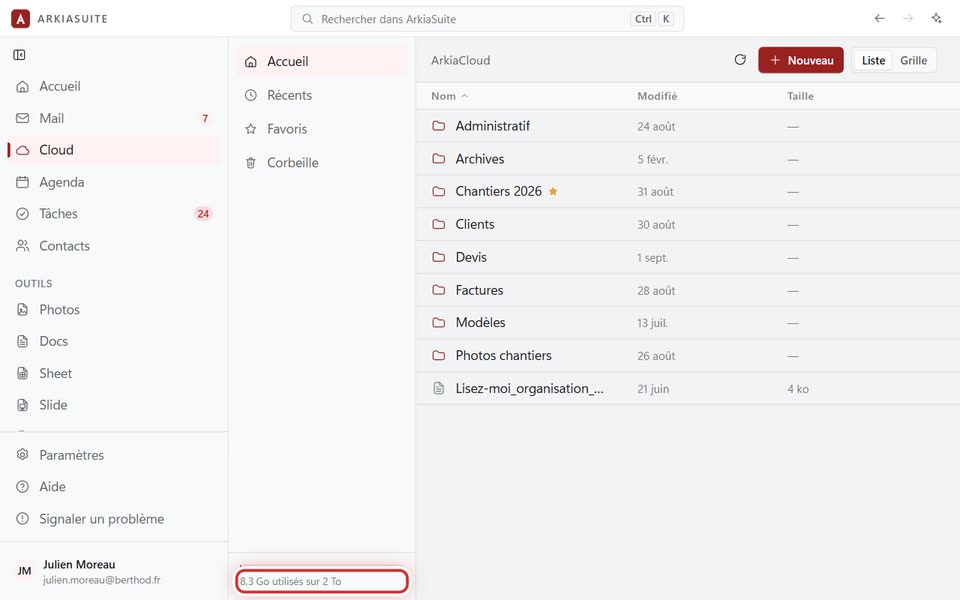
The space used, at the bottom of the left column
The space used, at the bottom of the left column — screenshot of the demo, with made-up people.

Step by step

  1. Click Cloud.

  2. At the bottom of the left column, there is a bar and a sentence: for example « 8,3 Go utilisés sur 2 To » (8.3 GB used of 2 TB).

  3. Almost full? Empty the Corbeille (Trash): the files in it still count (see how).

Good to know

  • Photos and mail count toward your space too.
  • Need more space? See my space is full.

See also