How do I rename or delete one of my folders?
The folders you created can be renamed and deleted, and they can hold subfolders.
Step by step
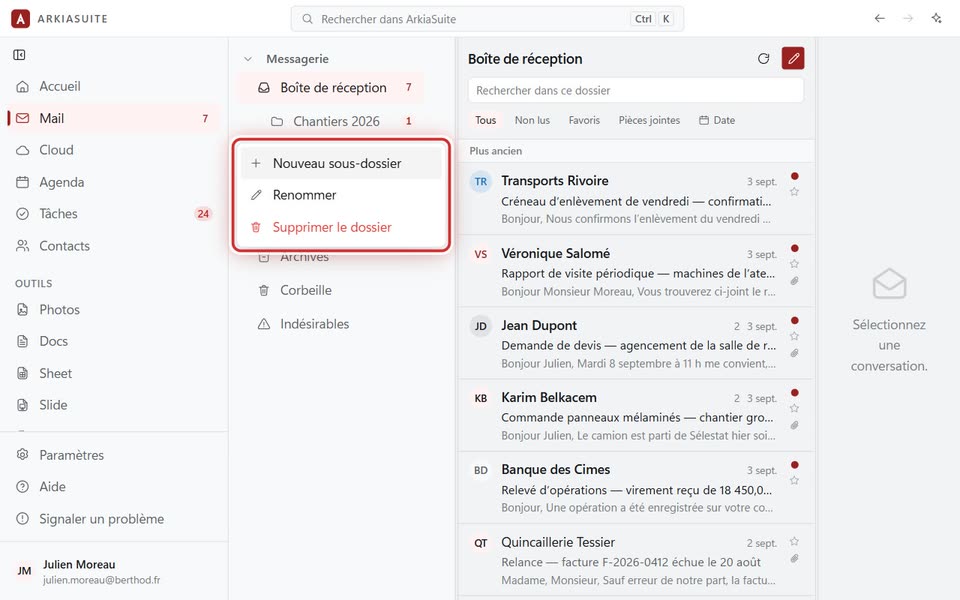
In the folder column, right-click the folder (or click the three dots … that appear to its right).
To rename it: Renommer (Rename), type the new name, then Renommer (Rename).
To delete it: Supprimer le dossier (Delete folder), then confirm. Its messages go to the trash, where you can get them back.
To create a folder inside it: Nouveau sous-dossier (New subfolder).
Good to know
- The built-in folders (Boîte de réception (Inbox), Envoyés (Sent), Corbeille (Trash)…) can’t be renamed or deleted.
- The folder also changes in Outlook and in webmail, if you ever use them.